
vvv · live console
Your live, in one panel.
A console for TikTok Shop sellers who run lives. A small Chrome extension reads the LIVE Manager page and carries out what you set up. Everything else runs on the server, so the computer that broadcasts installs nothing more. Access is by invitation, one shop at a time.
The link takes you to the console. Nothing is sent to it before you follow it.
Six jobs during a live.
#1 read
The numbers, as they change
Viewers, revenue, sales and items sold are read from the LIVE Manager page every two seconds and shown in the panel. A number it cannot read is shown as unreadable, never as zero.
#2 pin
Products, on a cycle you choose
List the products in the order of the LIVE Manager and how often the next one is pinned. The cycle keeps running from what is saved on the computer if the connection drops.
#3 chat
Only the texts the shop wrote
A thank-you for each purchase and a few messages at random intervals, posted exactly as written and only after the shop confirms them. Names containing a blocked keyword can be blocked.
#4 clips
The seller’s own clips
Clips recorded by the seller can be played into a virtual microphone, in an order that does not repeat until all have played. Read the notice below before using them.
#5 end
A timer, and a confirmation
The live can end at a time you set. Ending it by hand asks for confirmation first.
#6 review
A summary afterwards
Sales, revenue, average ticket, peak viewers, pins, blocks, TikTok warnings and the questions viewers asked most, kept for every live.
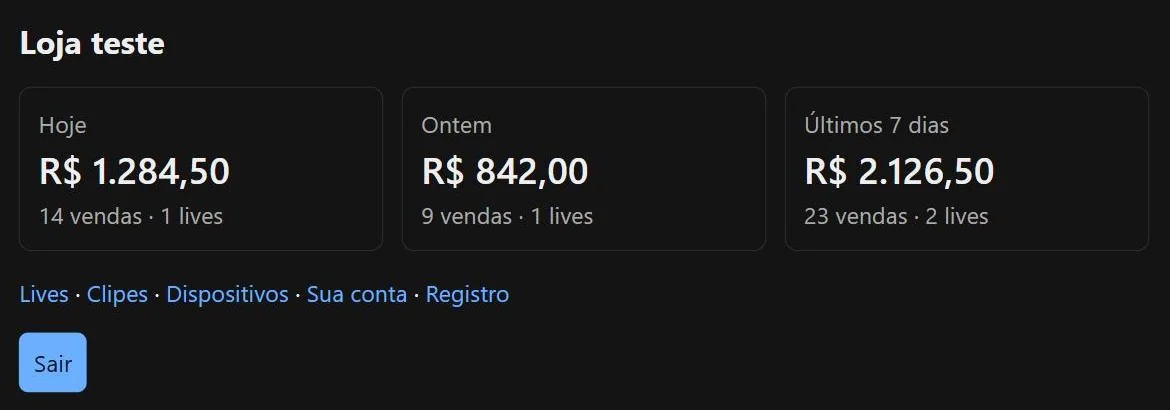
What the panel looks like.
Screenshots of a test shop with made-up numbers.
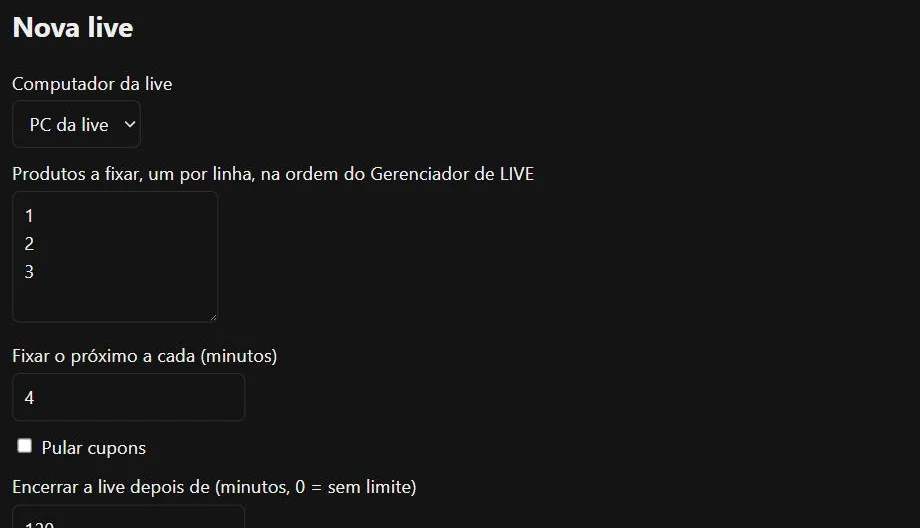
Setting up a live
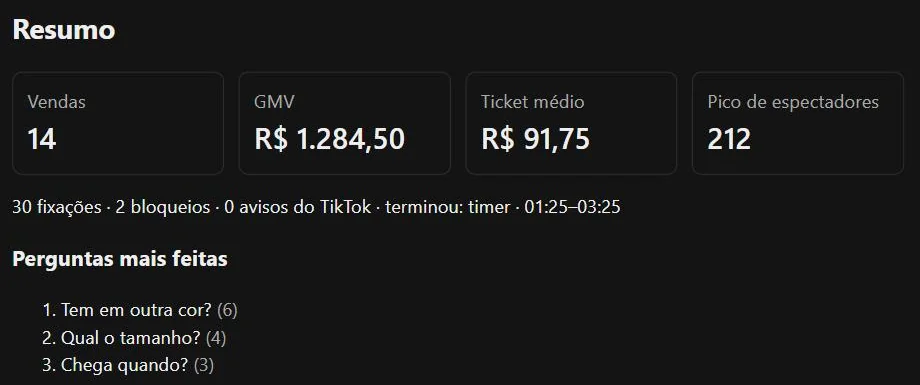
After the live
TikTok’s rule on recorded voice.
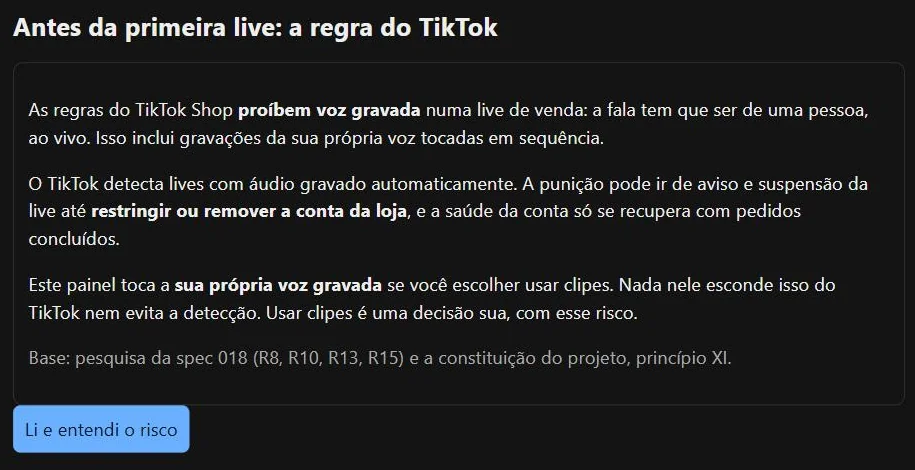
The console shows the following notice to every shop before its first live, and again in its settings.
- TikTok Shop’s rules prohibit recorded voice on a sales live. The speech has to come from a person, live. That includes recordings of your own voice played in sequence.
- TikTok detects recorded audio on lives automatically. The consequence can go from a warning and a suspended live to a restricted or removed shop account, and account health only recovers through completed orders.
- The console plays the seller’s own recorded voice if the seller chooses to use clips. Nothing in it hides that from TikTok or claims to avoid detection. Using clips is the seller’s decision, taken with that risk.
- Nothing on this page or in the console promises reach, sales or income.
No form, no cookie of its own. Visits are counted in aggregate.
This page has no form, sets no cookies of its own and has no analytics of its own. The site is hosted on Cloudflare, which counts visits in aggregate with a small script it loads from static.cloudflareinsights.com. Cloudflare states that this counting uses no cookies or local storage and does not fingerprint individuals. Nothing else on the page comes from another site, and it renders on its own, whether or not the console is running. The console has its own privacy policy, which says what it collects once you sign in.
Questions.
Who can use it?
Only people invited by a shop’s owner. There is no open sign-up. Each person sees only the shops they belong to, and sign-in asks for a password and a code from an authenticator app.
What is installed on the computer that broadcasts?
A Chrome extension, and a virtual audio cable if you use clips. The extension connects out to the server, so no port is opened on your network, and it carries out a fixed set of actions: pin a product, post a text, block a name, end the live, play a clip.
What if the connection drops?
The pin cycle, the timer and the clips keep running from what is saved on the computer. The panel says it is offline, and the history is sent when the connection returns.
Is it made by TikTok?
No. It is an independent project of H0wZy and is not affiliated with or endorsed by TikTok.